

If your ZEN73 won't add to Home Assistant, then you need to try exclusion next.
Exclusion acts as a soft reset to help with any inclusion and configuration issues and can be performed even if the ZEN73 Switch hasn't been included to Home Assistant.
Exclusion Steps
-
In Home Assistant: open Settings > Devices and Services > Z-Wave > Cogwheel > Options (Manage network routes and remove devices) > Remove foreign device > Remove.
-
Toggle the switch DOWN 3 times very quickly (the LED indicator will start flashing)
-
Home Assistant will confirm that the device was removed, and you should now be able to add it to your system
When the hub confirms that a device has successfully been removed, try adding the ZEN73 Toggle Switch to Home Assistant again.
If that didn't work, give these additional troubleshoots a try:
-
Try to exclude the switch once more. It's possible the exclusion commands didn't work on the first try.
-
While excluding or including, try toggling the switch 4-5 times as quickly as possible. This can help make sure the commands go through.
-
If you have a Z-Wave signal repeater available (switch, relay, smart plug, dedicated repeater - any Z-Wave device that doesn't rely on battery power), try moving it between the switch and hub and then healing the network. This can help in case there is an interference or range issue preventing stable communication between the two nodes.
-
If that didn't work, try bringing the hub within direct range of the switch. If you have a hand-held secondary controller, this would be the time to bring it out!
-
If you were able to pair your switch, but it's not responding to remote commands, try these tricks for troubleshooting connectivity issues.
SmartStart and Z-Wave Long Range Inclusion Troubleshooting
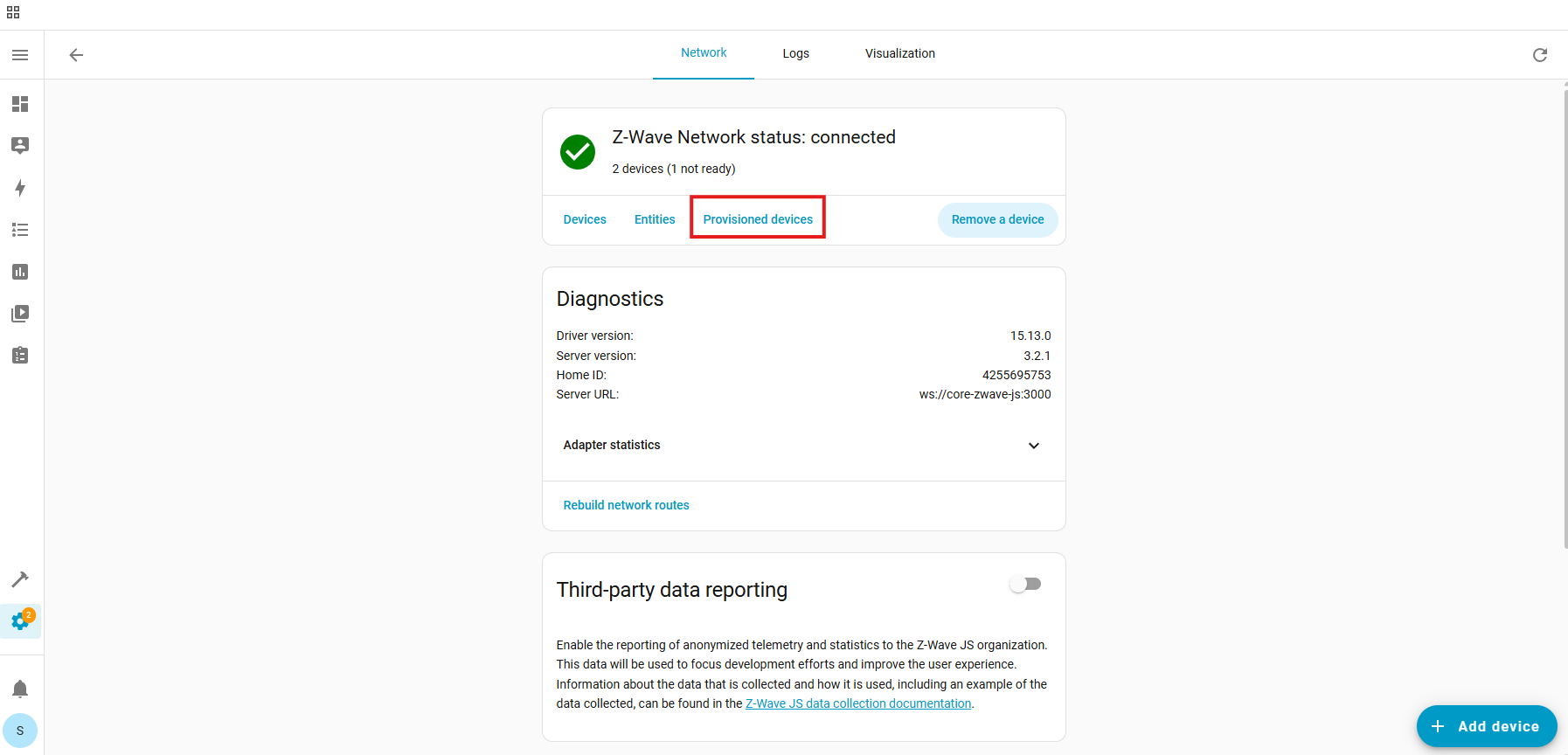
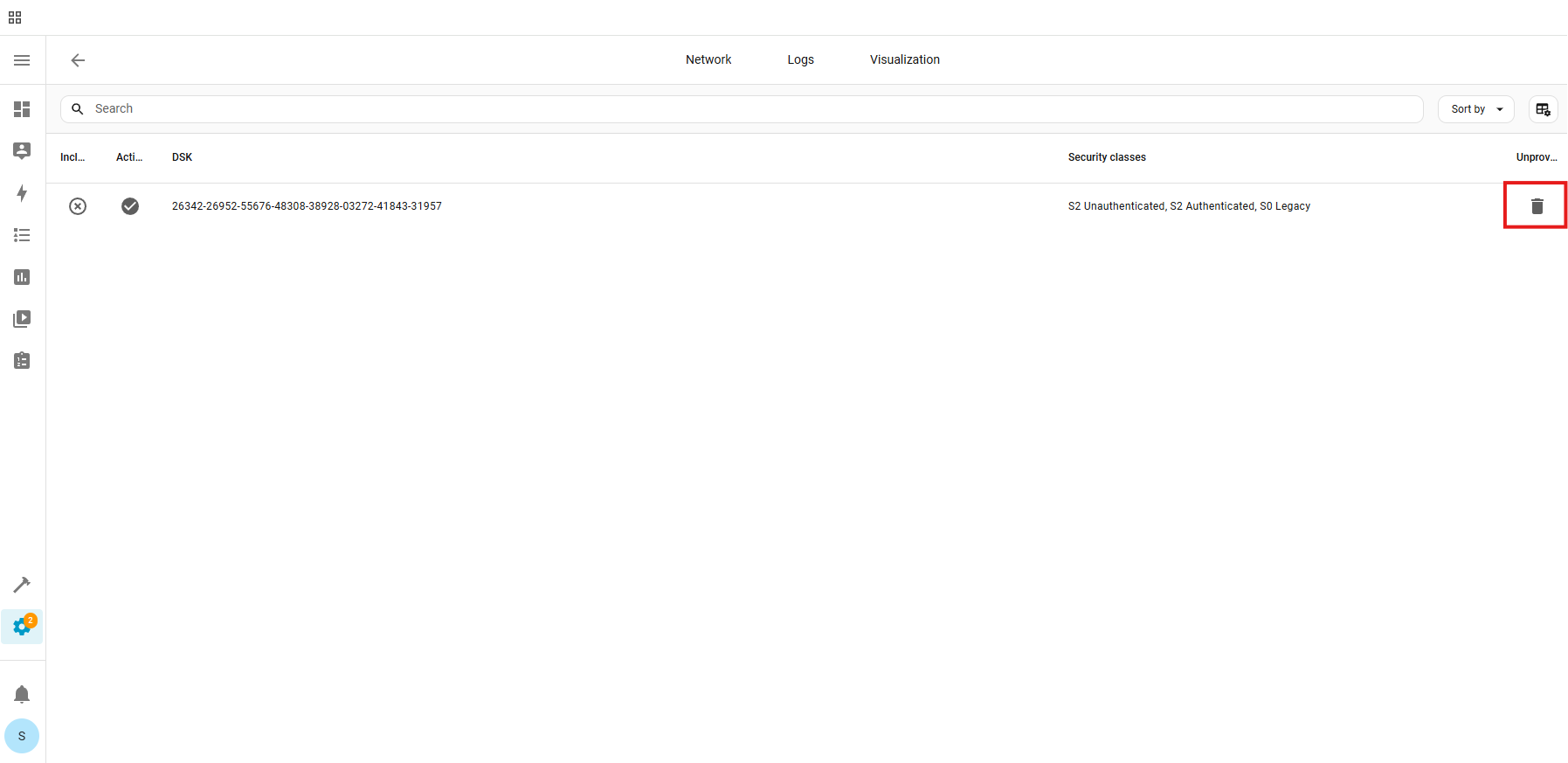
If exclusion is not successful, if you have previously added this device to your hub, if SmartStart failed, or if the device will not include, please follow the steps below in order. Removing the device from the provisioning list generally resolves most inclusion issues:
1. Check if the device is in the provisioning list:
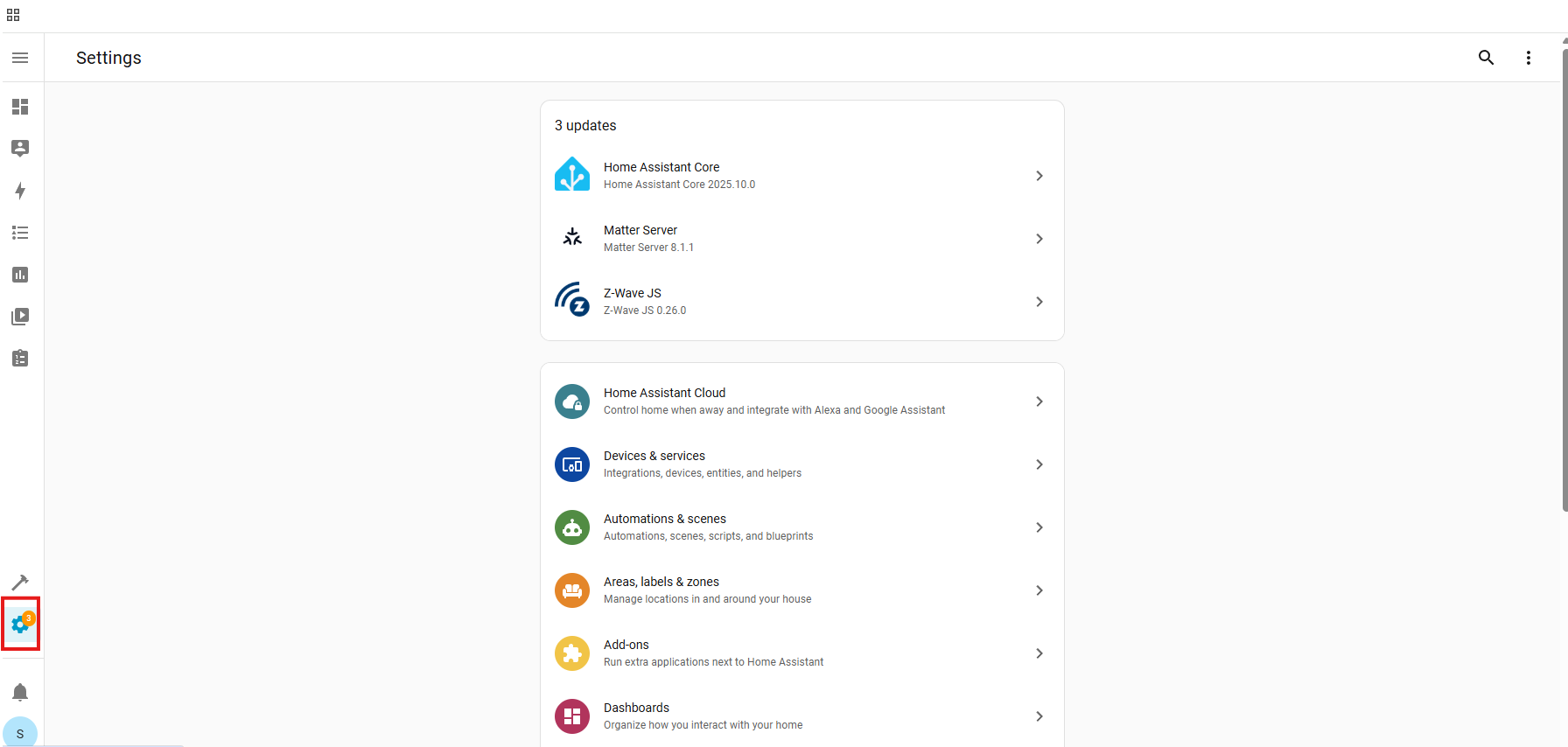
- Settings:
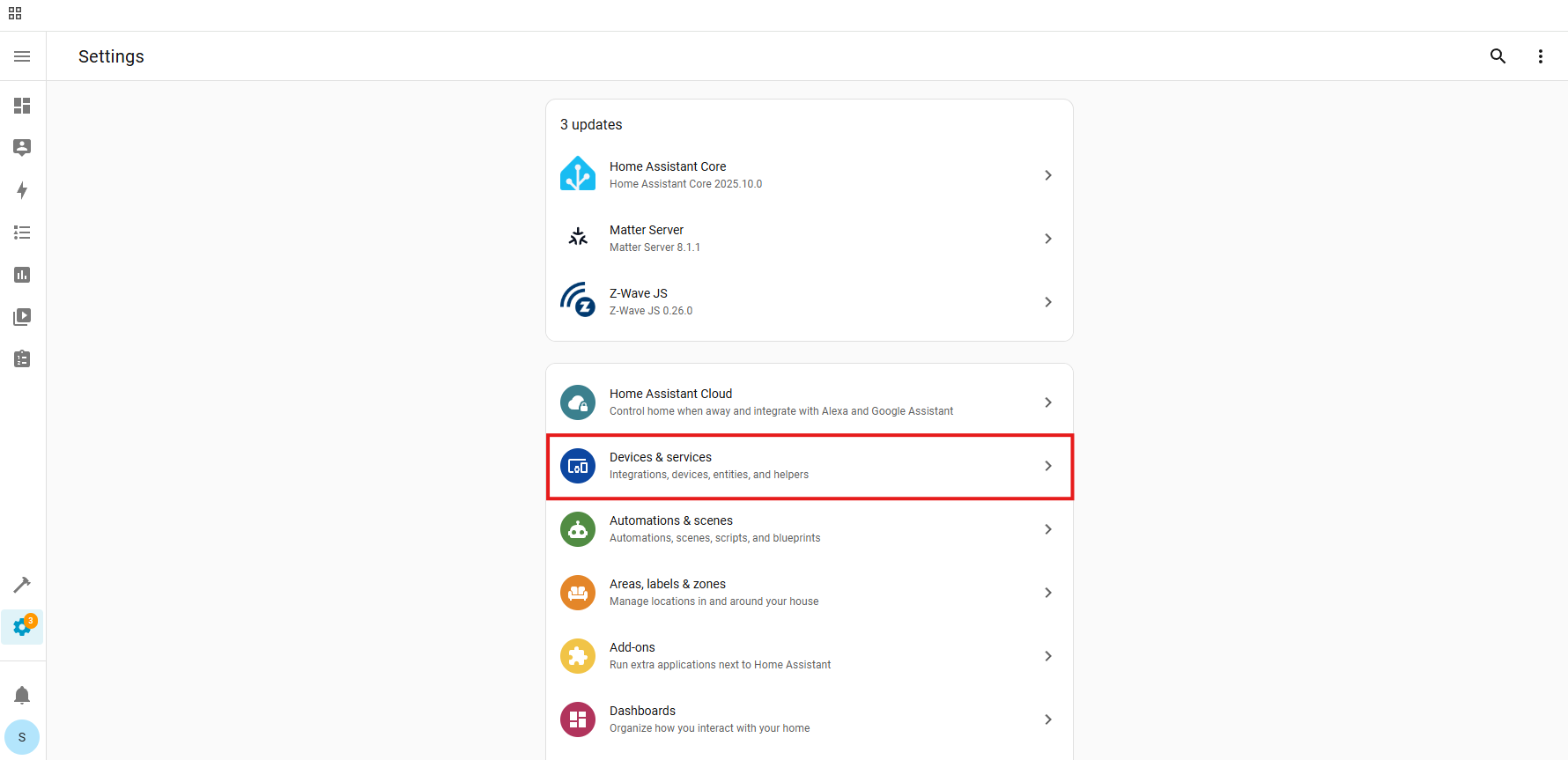
- Devices & Services:
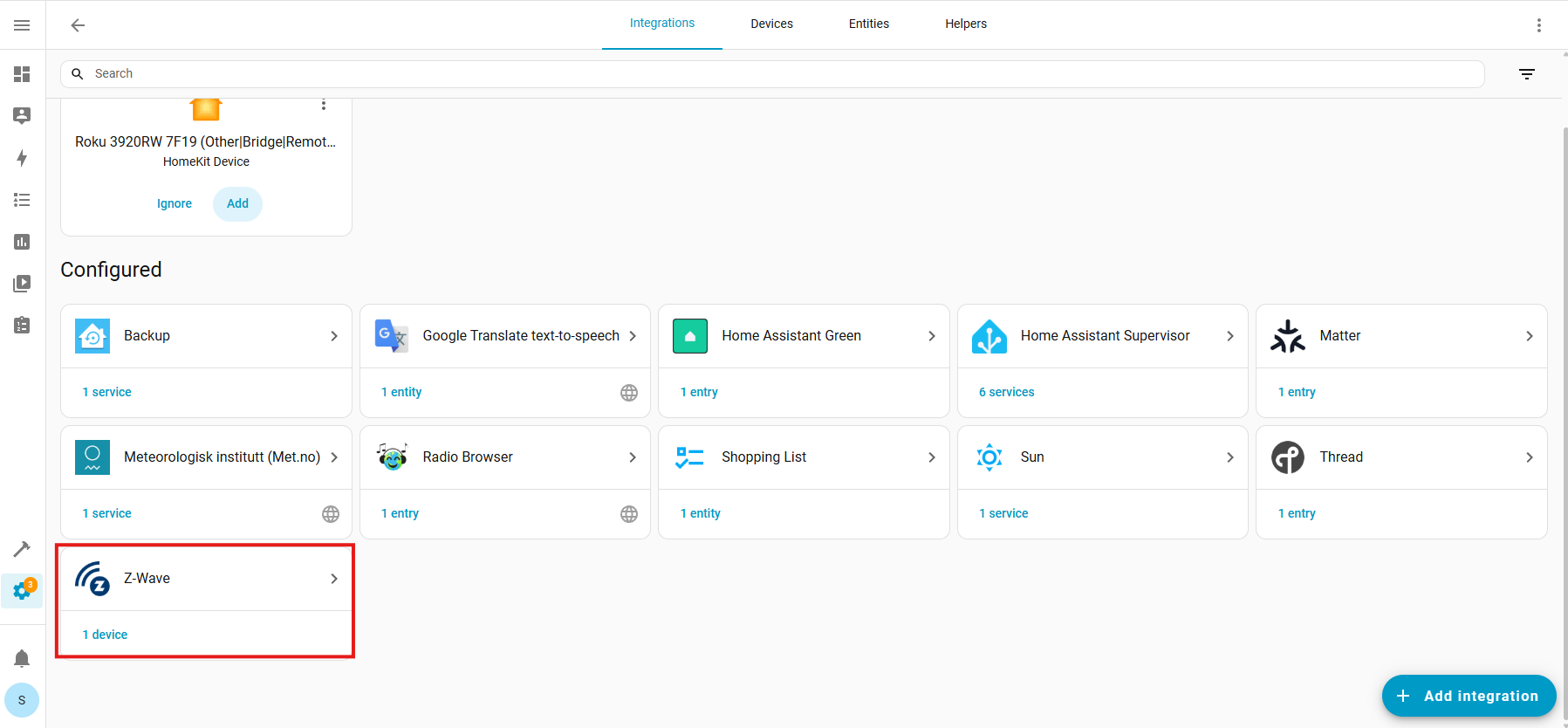
- Z-Wave:
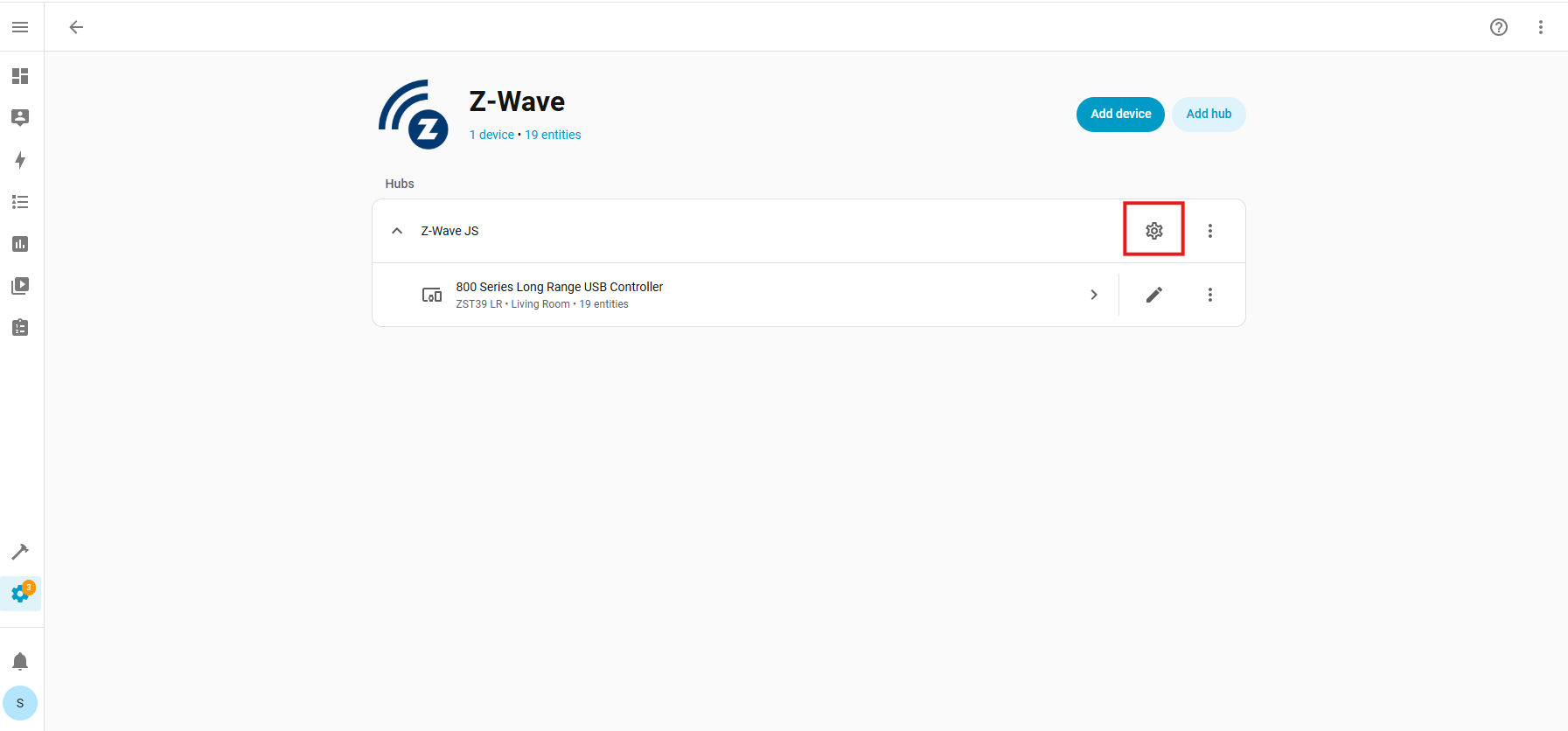
- Configure Cogwheel:
- Provisioned Devices:
- Trash Icon (identify device by the DSK number):
- Unprovision:
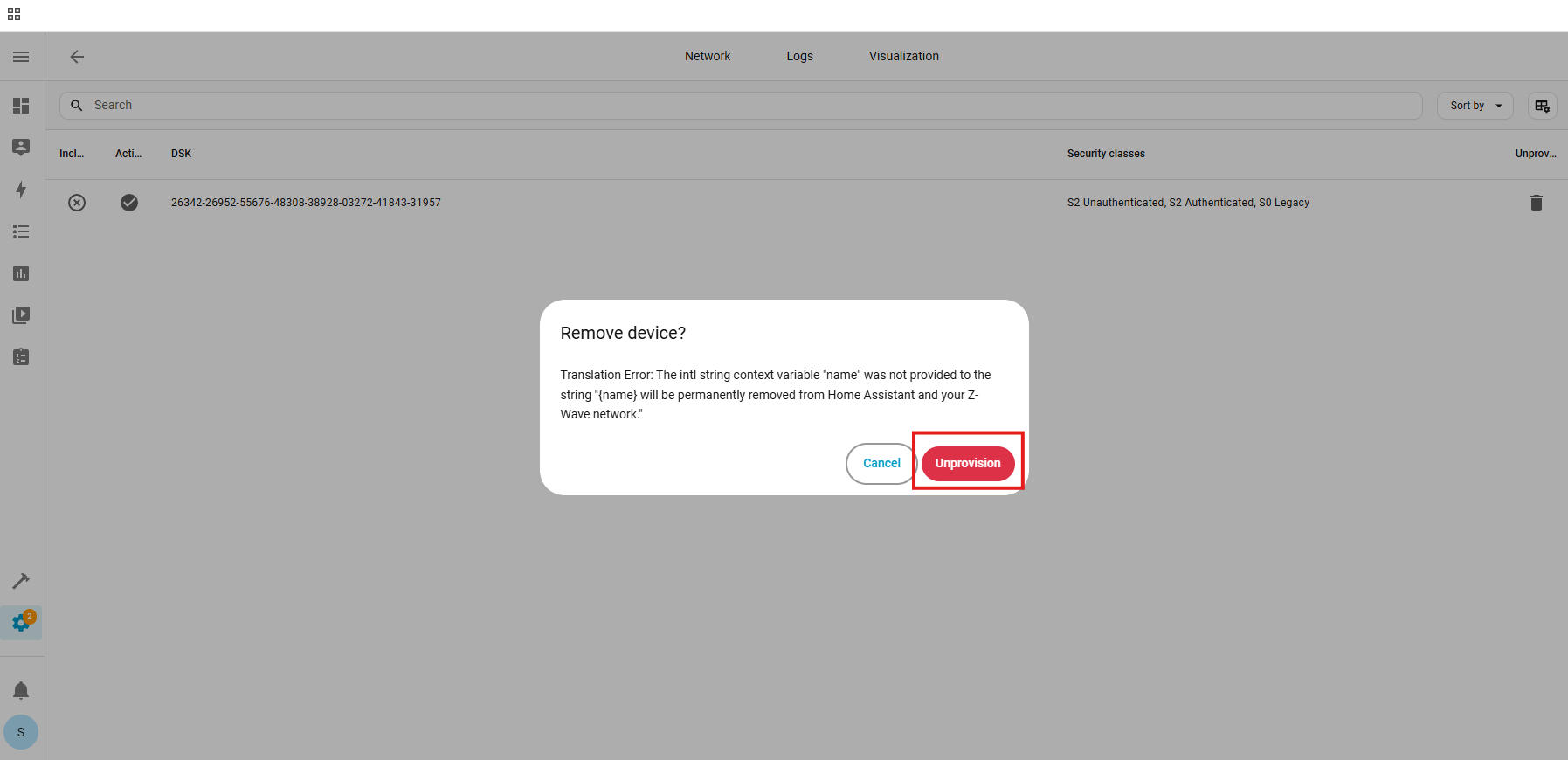
The device has now been removed from the provisioning list.
2. Factory reset the ZEN73. After a successful reset, the device will disappear from the device list.
3. Turn off power to the ZEN55 at the breaker.
4. Go through the inclusion steps listed here to include the device (remember, power stays OFF until step 6).
Please don't hesitate to reach out to us if you have any questions!

