You are using an unsupported browser. Please update your browser to the latest version on or before July 31, 2020.
close
You are viewing the article in preview mode. It is not live at the moment.
Looking for Z-Box Hub Support? Please click here to access the Z-Box Hub Support Portal.
Home > Smart Relays > ZEN78 High Power Relay > ZEN78 & Hubitat > How to Access Advanced Settings for My ZEN78 High Power Relay on Hubitat
How to Access Advanced Settings for My ZEN78 High Power Relay on Hubitat
print icon

The ZEN78 is officially integrated with Hubitat as of 2.4.3.176 release.


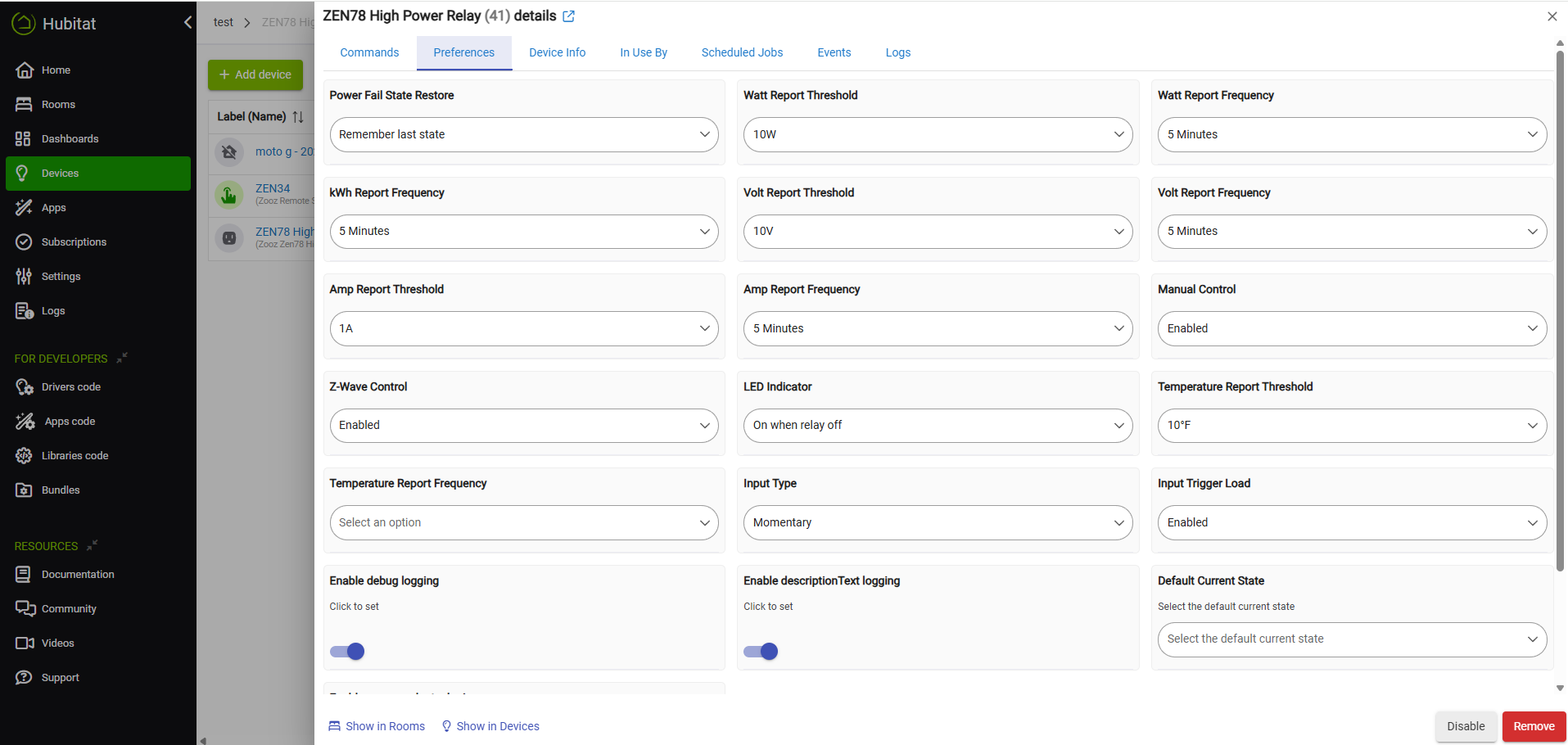
The device will be correctly recognized as the Zooz ZEN78 High Power Relay, with access to all of the settings without the need for a custom driver. To access the advanced settings, ensure you're running at least 2.4.3.176 on your hub. Go to Devices > ZEN78 > Preferences tab. You can adjust any of the settings/preferences in accordance with our documentation here:


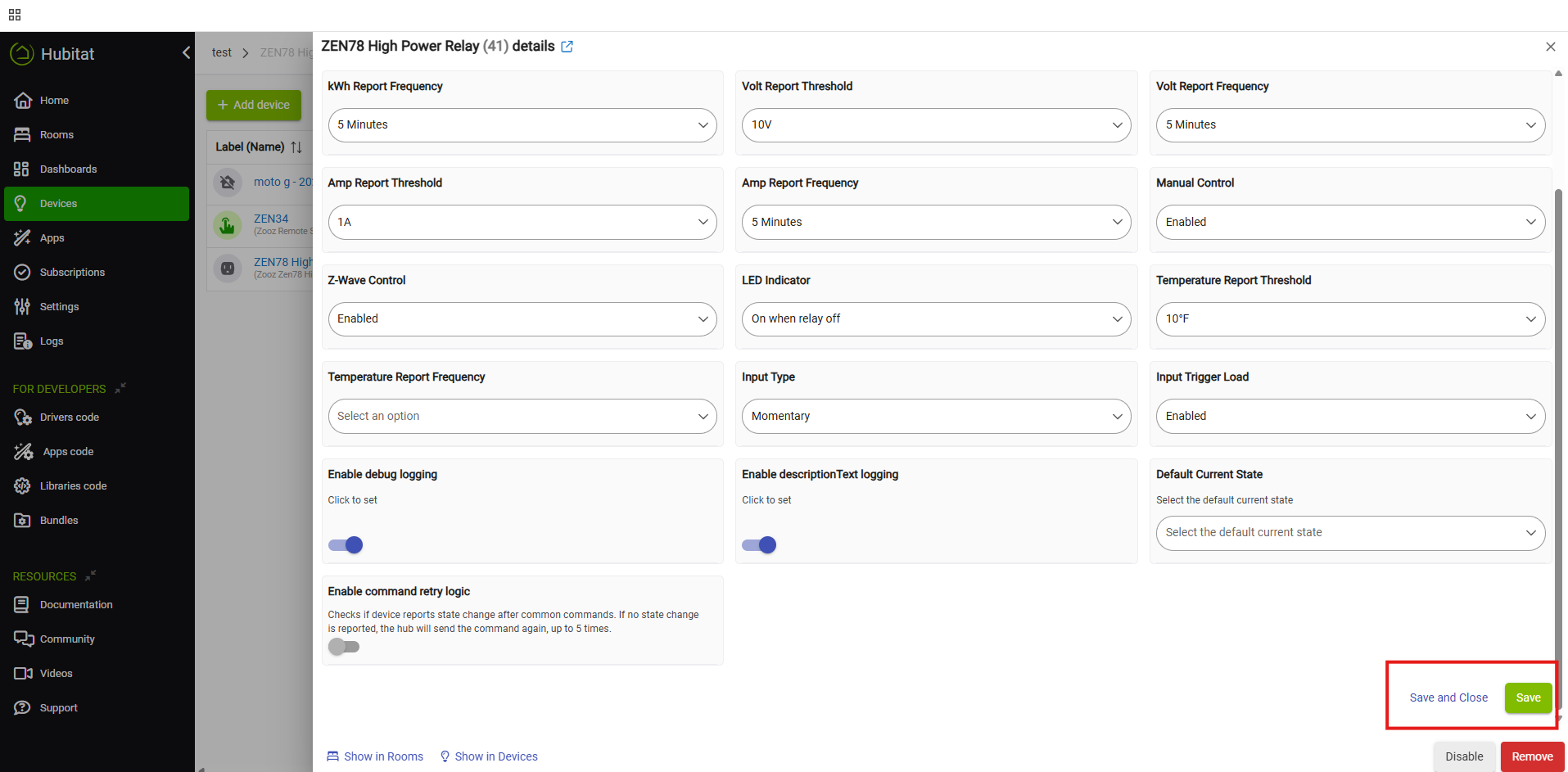
Once you adjust your settings, ensure you scroll down and click either Save, or Save and Close.


Feedback
0 out of 0 found this helpful

Have you tried our virtual assistant chatbot? This AI tool can help you find answers from thousands of articles in our Knowledge Base quickly. Find it in the bottom righthand corner of the page.

Need more help? Our friendly team is ready to help you with any questions or concerns you may have about Zooz devices. Click here to submit a support ticket.

Are your devices registered? Extended warranty and firmware access is available for registered Zooz customers. Click here to submit your registration form.

Find the latest Zooz devices and great Z-Wave deals at The Smartest House.
 
scroll to top icon