


Exclusion can be a helpful troubleshooting step if your ZAC36 is having issues pairing to your Home Assistant hub.
The process acts as a soft reset to help with any configuration or inclusion issues. You can exclude the ZAC36, and any Z-Wave device, even if it hasn't been added to the network before.
Exclusion Steps
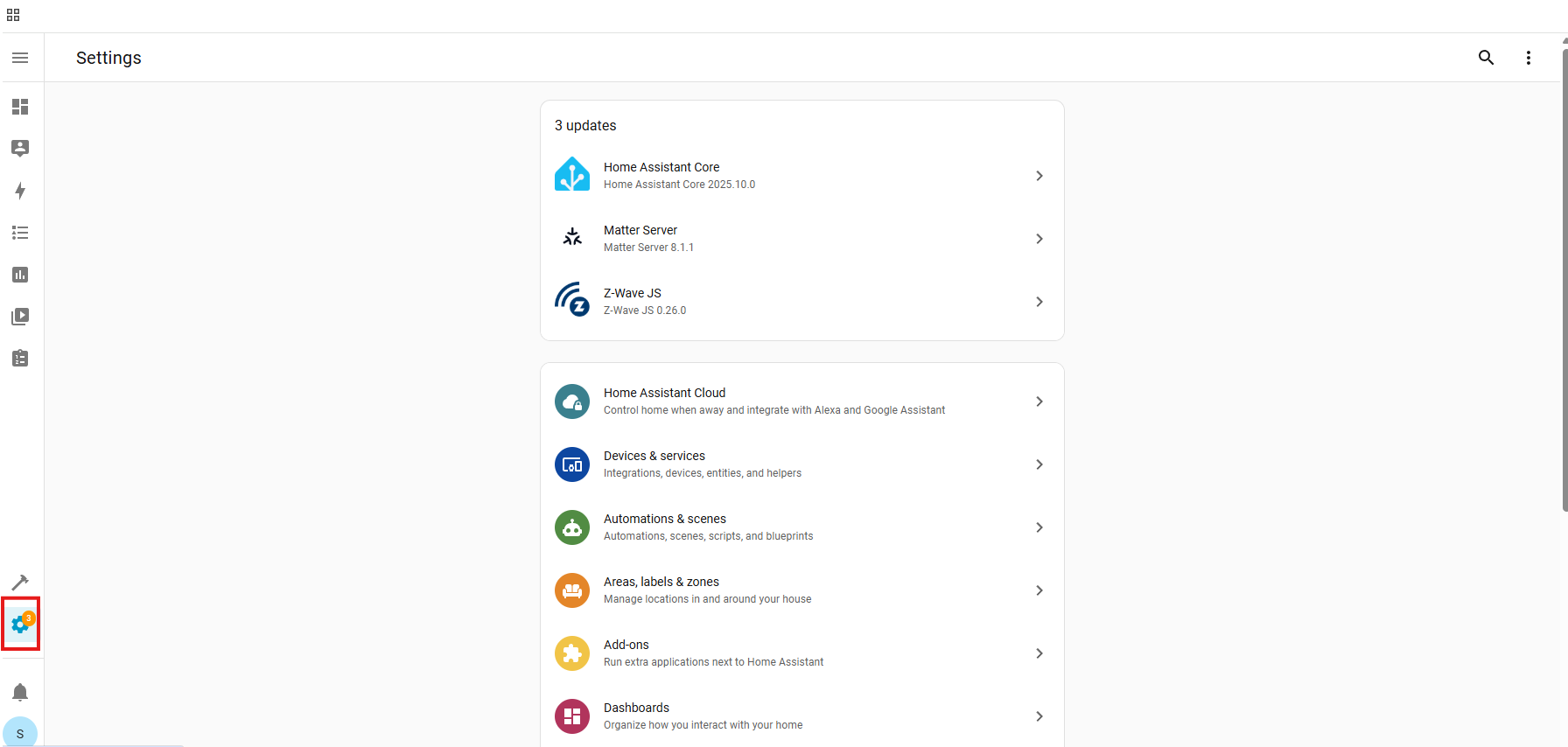
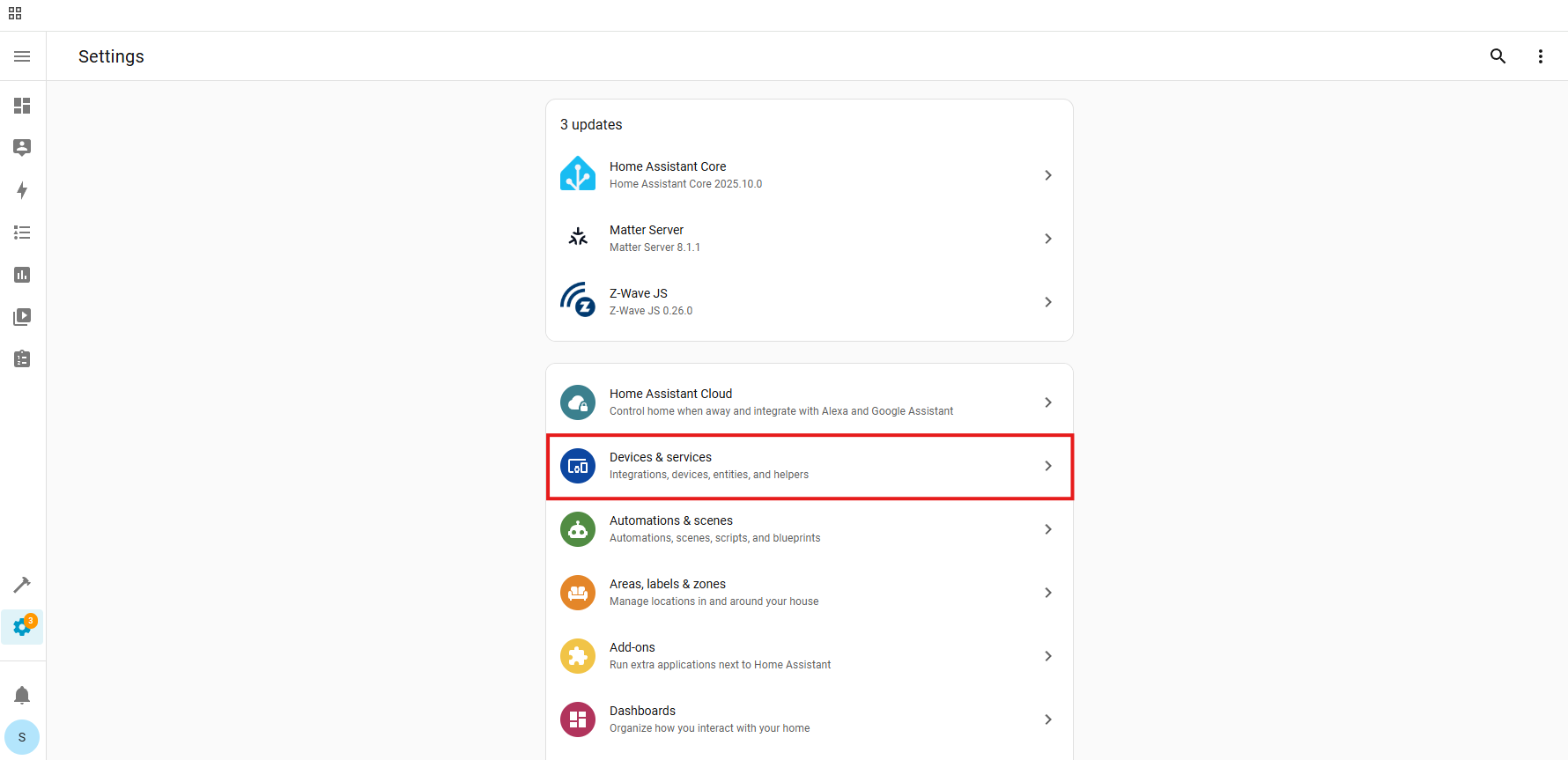
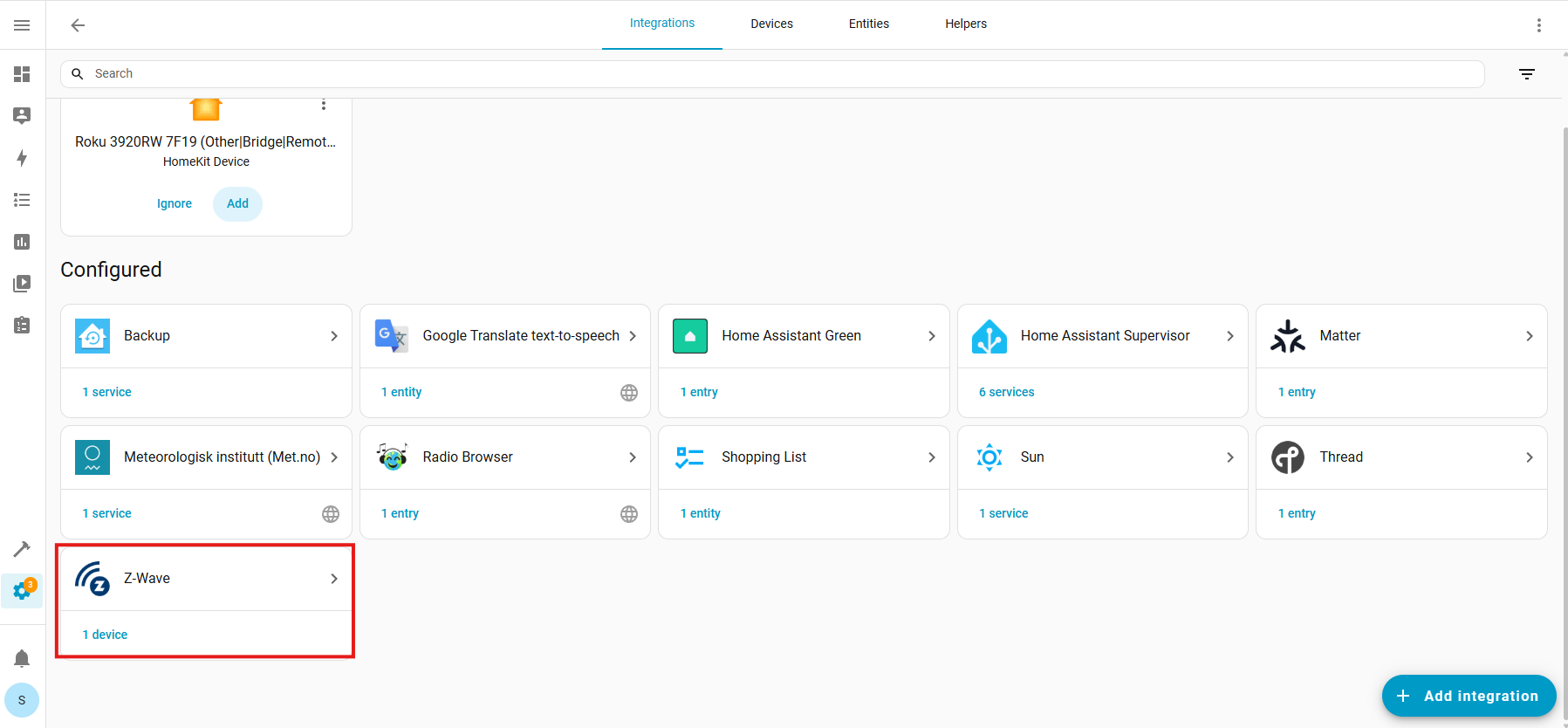
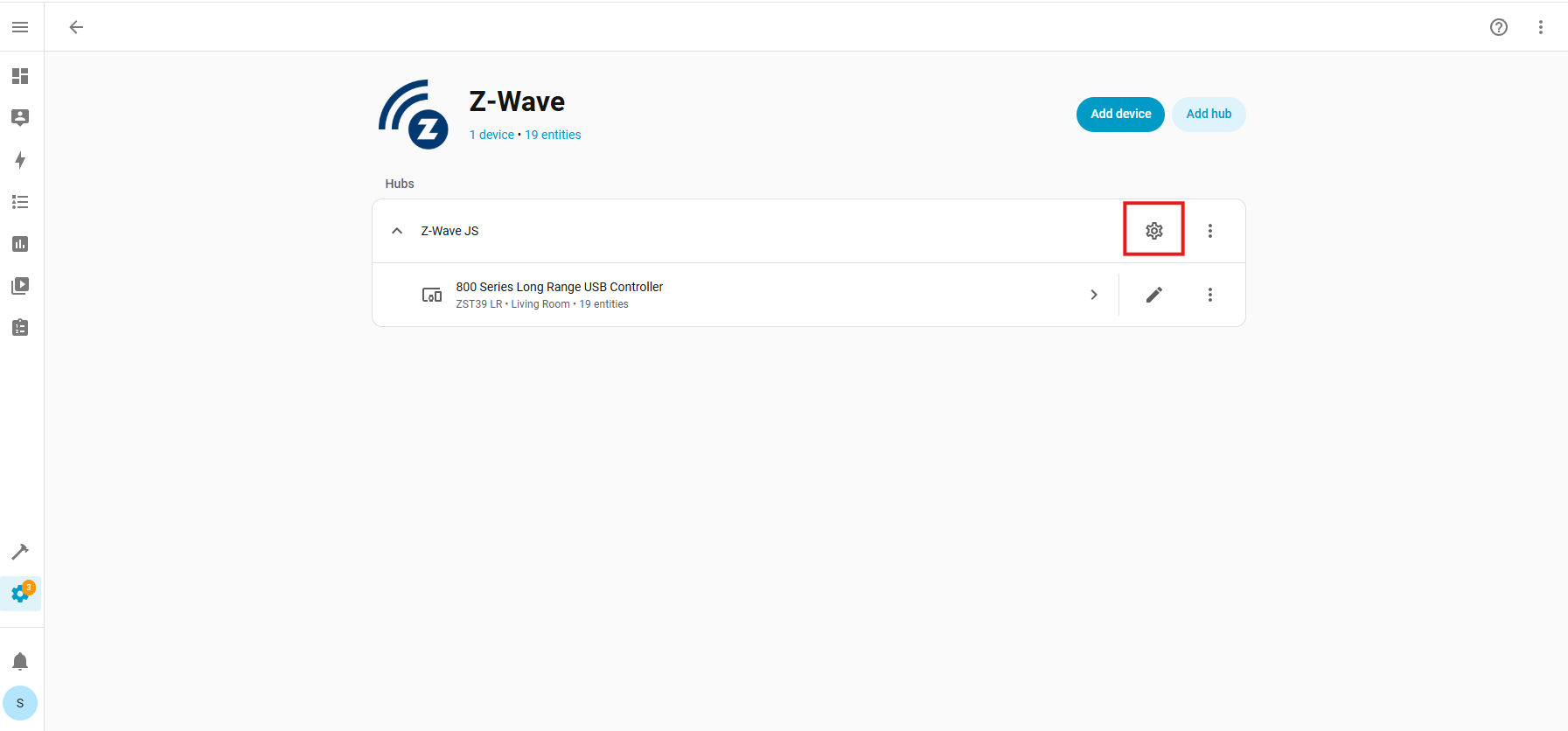
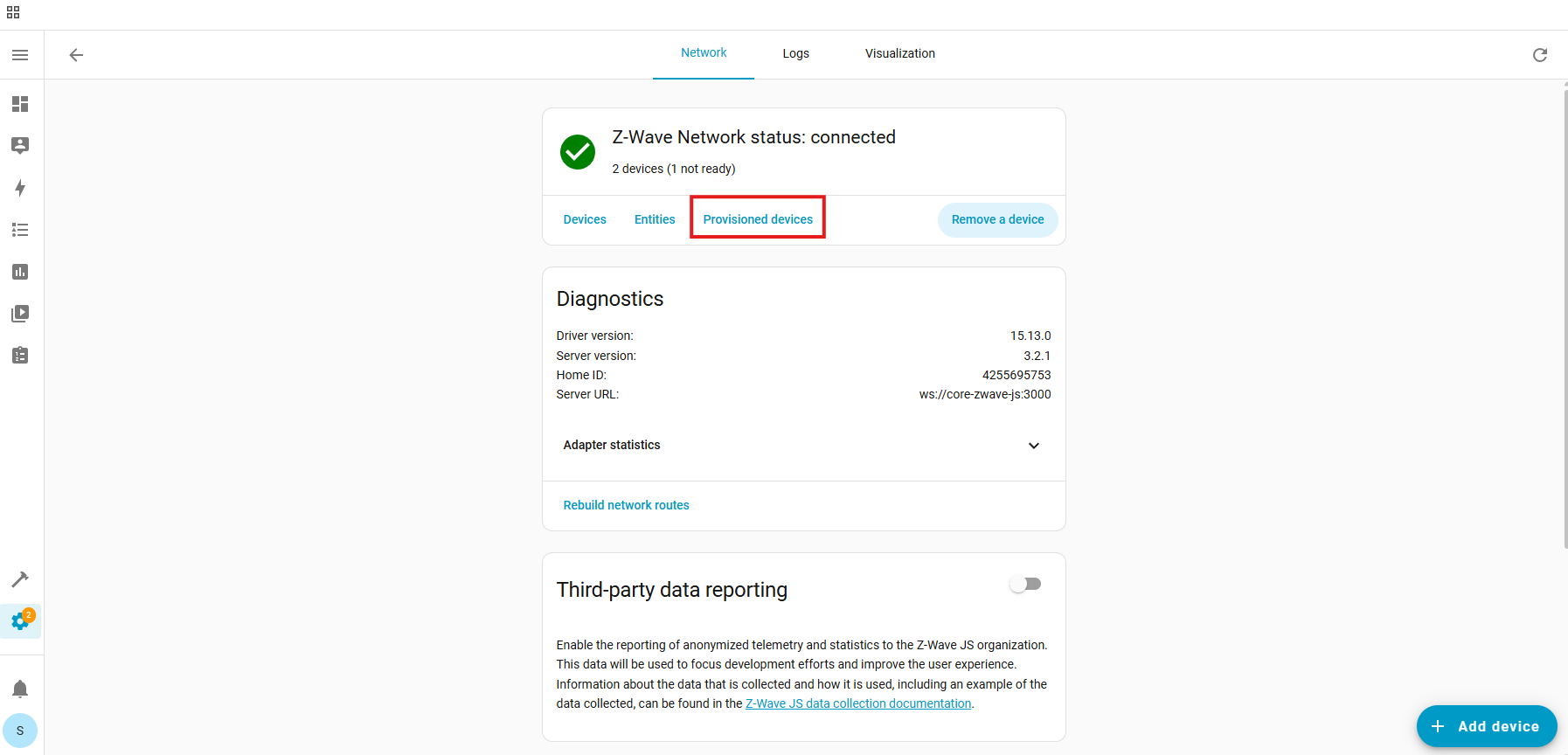
- In Home Assistant: open Settings > Devices and Services > Z-Wave JS > Configure
- Click on Remove Device
- Click on Start Exclusion
- Tap the switch button 3 times quickly - it's a touch button so wait for a beep each time you press it (there will be no tactile feedback like on a push button).
- Home Assistant should confirm removal
Once Home Assistant confirms the device has been removed, try the inclusion process again to have it added to the network.
SmartStart and Z-Wave Long Range Inclusion Troubleshooting
If exclusion is not successful, if you have previously added this device to your hub, if SmartStart failed, or if the device will not include, please follow the steps below in order. Removing the device from the provisioning list generally resolves most inclusion issues:
1. Check if the device is in the provisioning list:
- Settings:
- Devices & Services:
- Z-Wave:
- Configure Cogwheel:
- Provisioned Devices:
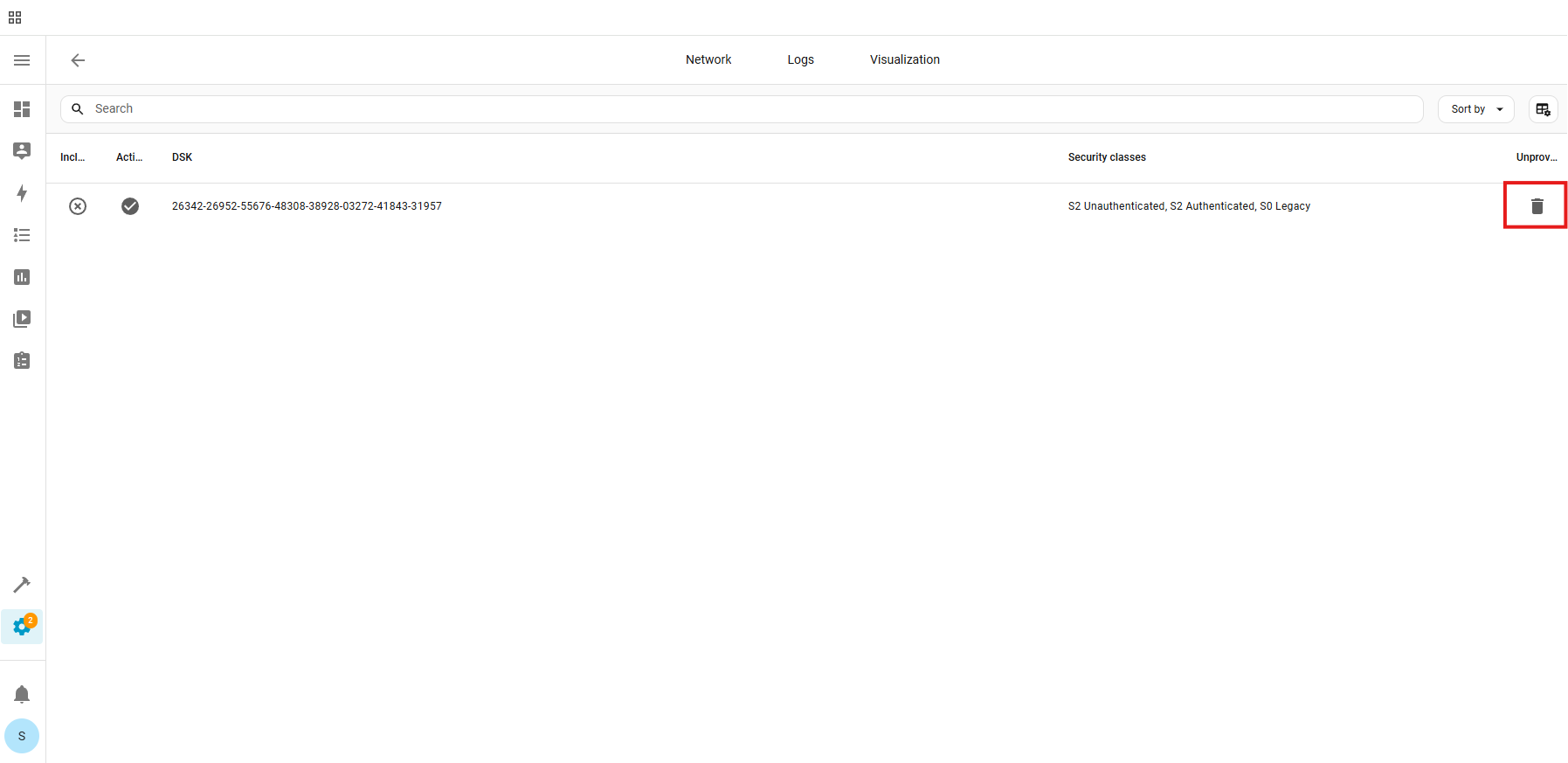
- Trash Icon (identify device by the DSK number):
- Unprovision:
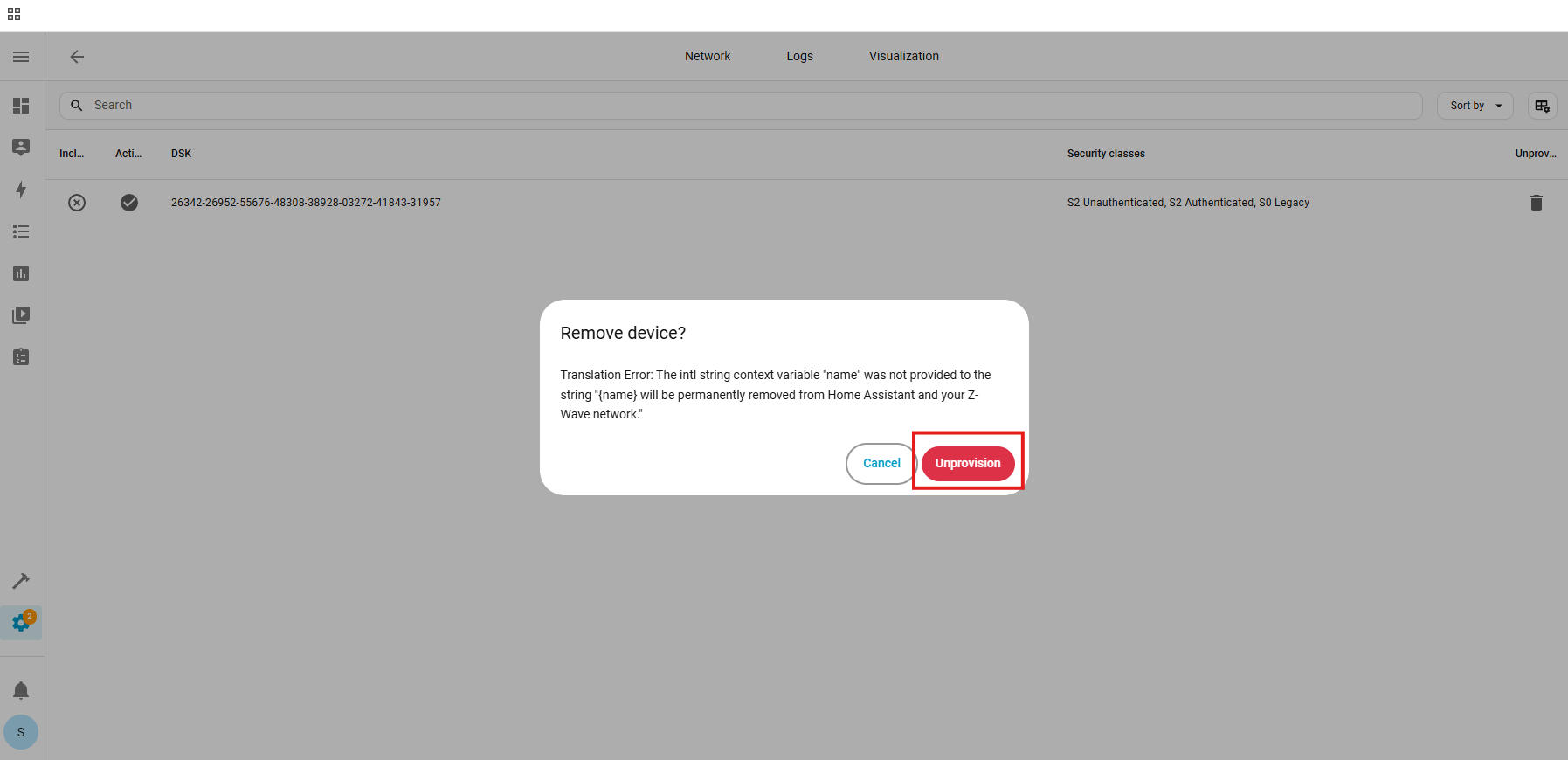
The device has now been removed from the provisioning list.
2. Factory reset the ZAC36. After a successful reset, the device will disappear from the device list.
3. Unplug the ZAC36 (this removes power from the device).
4. Go through the inclusion steps listed here to include the device (remember, power stays OFF until step 6).
If your ZAC36 still won't include, you can give these other troubleshooting steps a try:
- Add a Z-Wave signal repeater (or any Z-Wave device that doesn't rely on battery power) between the ZAC36 and hub. It will help the hub reach the Titan Valve Actuator in case of interference or range issues.
- Try bringing the hub or a secondary controller closer to the ZAC36 and try excluding and re-including the device.
- If you were able to include the Titan, but are having trouble controlling it via Z-Wave, then you should try these steps for troubleshooting connectivity.
If your Titan Valve Actuator is still having trouble no matter what you try, reach out to us!

