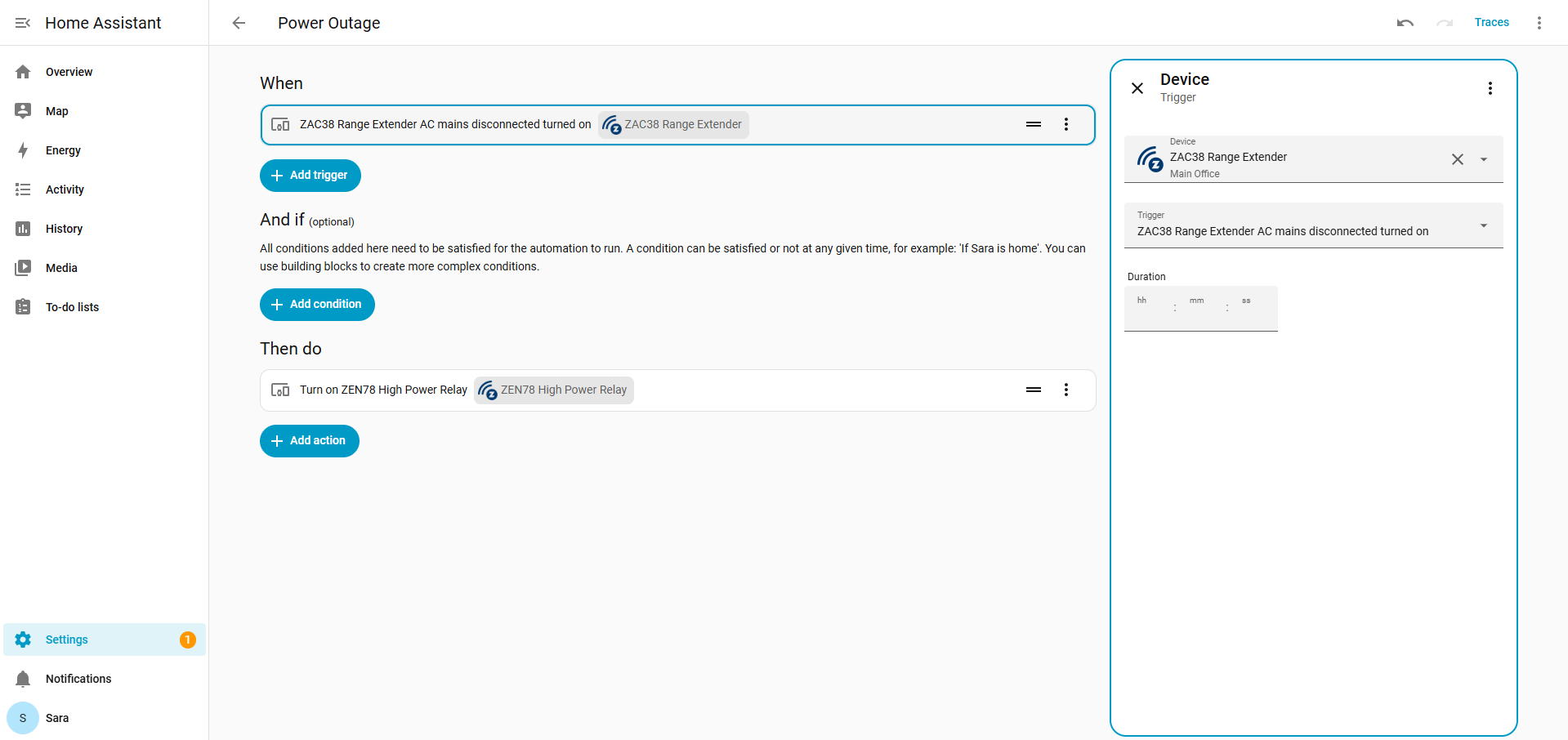
The ZAC38 Range Extender includes a built in backup battery that allows it to continue operating even when mains power is lost. When the device detects a transition from mains power to battery power, it reports this change to the Z Wave network. This power status change can be used by your hub as a reliable event trigger.
In this knowledge base example, we will walk through how to use the power outage event to send a notification to the user. However, the same reported event can be used for any type of automation you want to create. This includes sending alerts, triggering scenes, activating other devices, or combining it with additional conditions in your automation system.
The key concept is that the ZAC38 actively reports when it switches from mains power to battery backup (and vice versa), and this report can be leveraged as a trigger in your hub to build flexible and meaningful automations around power loss events.
In Home Assistant, you can program automations directly from the ZAC38 device page, or you can access automations directly by going to Settings > Automations and Scenes.
You'll be selecting a device triggered scene, with the ZAC38 mains disconnected turned on as the trigger. From there, you can program any action you prefer, from triggering another device, a notfication, or activating another scene.