

Having troubles including your ZSE50 Siren & Chime? The best place to start is with a simple exclusion.
It may seem counter-intuitive, but the easiest way to resolve inclusion or configuration issues is by excluding the device first! Exclusion can be done at any time, even if a device has never been included to the hub! Another way to think of exclusion is as a hub-based reset.
ZSE50 Exclusion Steps
-
From the sidebar navigation menu of the Z-Box web interface, go to Settings by clicking on the gear icon.
-
You will be redirected to the Devices menu.
-
Click the red - Remove device button in the top right corner.
-
Select the Z-Wave Device option.
-
Get ready to activate your siren and click Start.
-
Tap the “-” button 3 times quickly. The LED indicator will start blinking green, and the following message will play once: "Removing device." If exclusion is successful the LED indicator on the siren will turn green for 2 seconds, and play the following message: "Device removed."
-
The Z-Box will confirm exclusion.
Once the Z-Box confirms a successful exclusion, please try including the device again.
SmartStart and Z-Wave Long Range Inclusion Troubleshooting
If exclusion is not successful, if you have previously added this device to your hub, if SmartStart failed, or if the device will not include, please follow the steps below in order. Removing the device from the provisioning list generally resolves most inclusion issues:
1. Check if the device is in the provisioning list. Click the Settings cogwheel > Z-Wave > SmartStart:
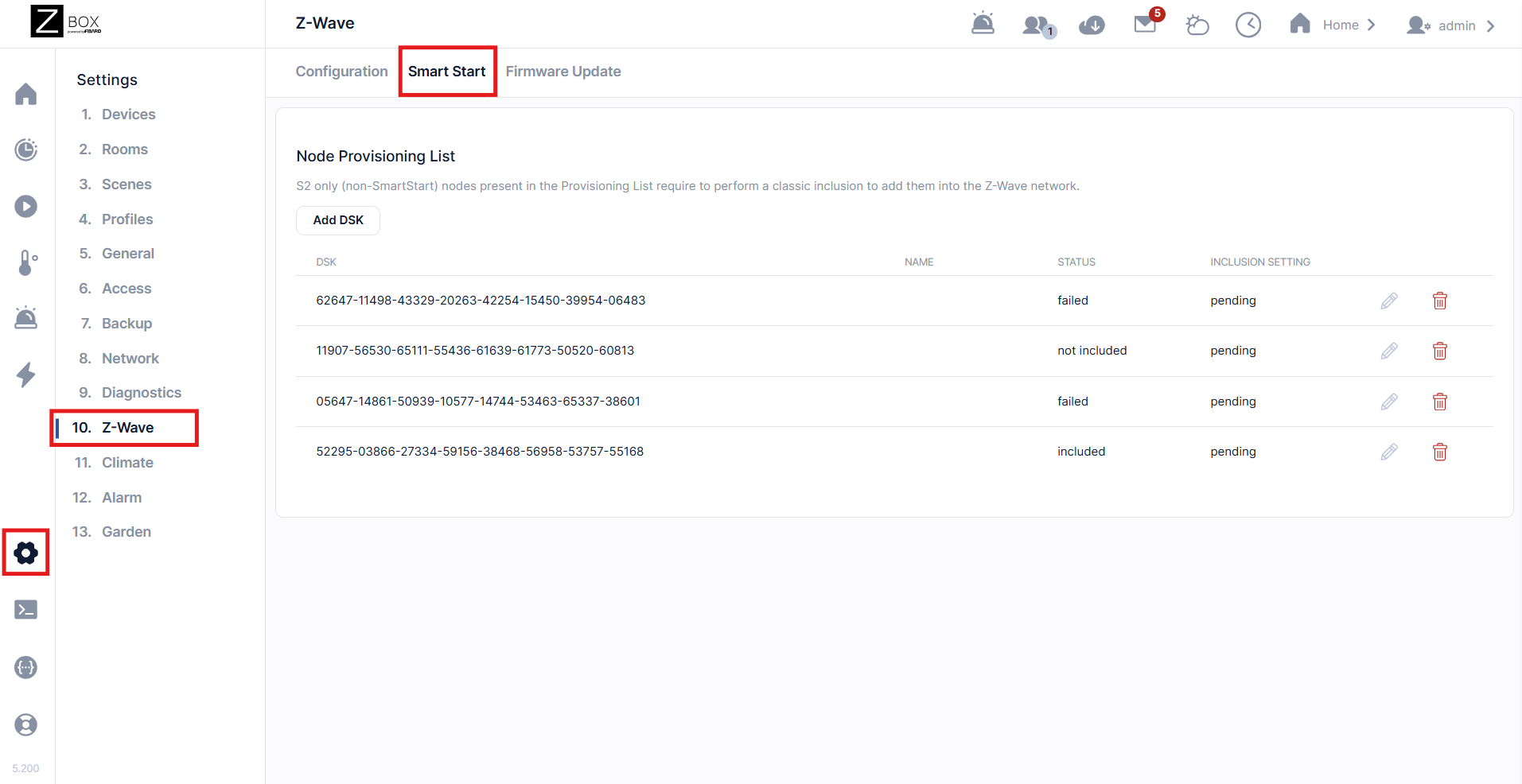
2. Click the Trash Icon (identify the relevant device by the DSK number). A popup will ask you to confirm. Click Delete:
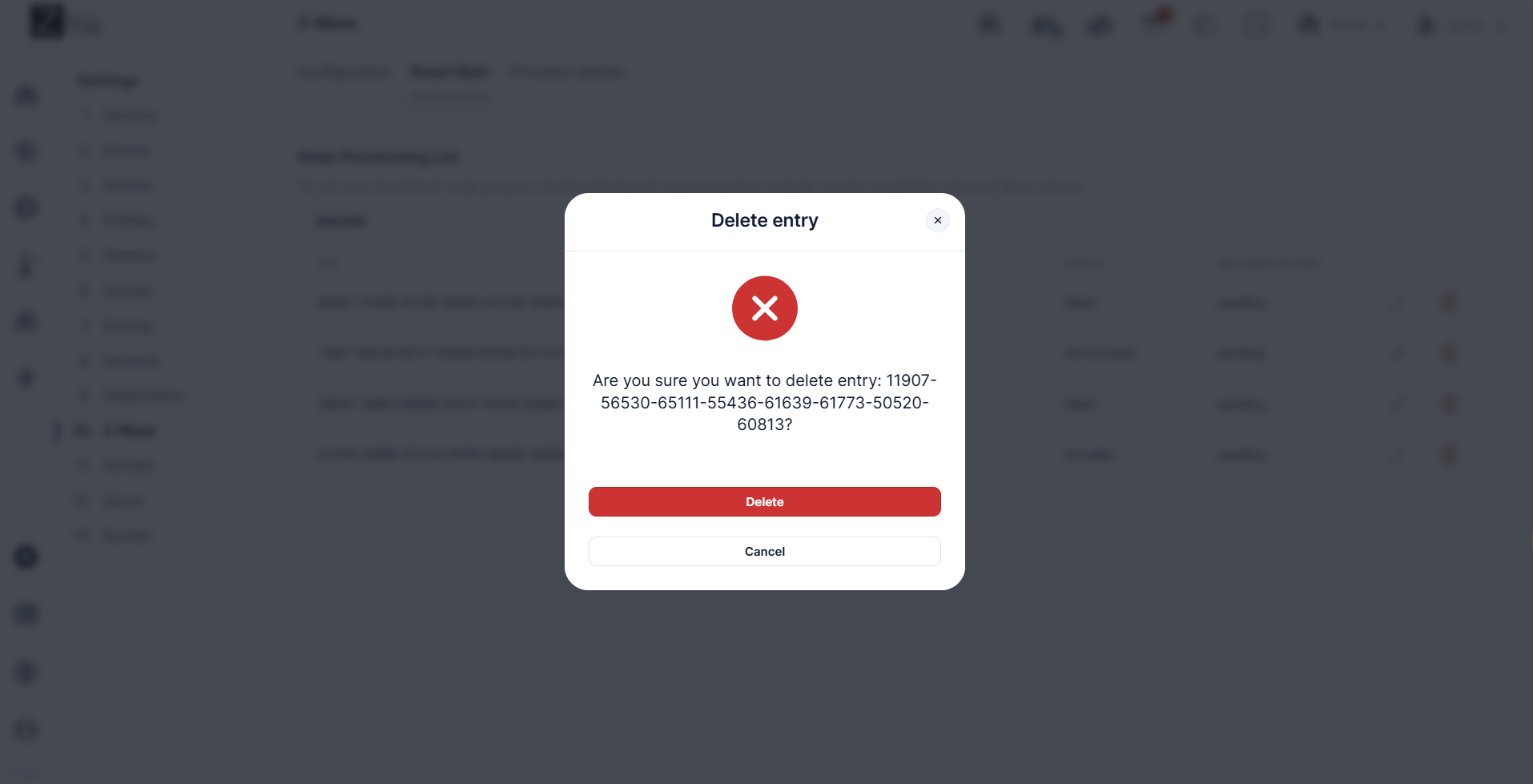
3. The device has now been removed from the provisioning list.
4. Factory reset the ZSE50. After a successful reset, the device will disappear from the device list.
5. Remove the Siren from the outlet (it will then be on backup battery). Then, initiate SmartStart via the steps here and plug the siren in once you have completed the ZWLR / SmartStart inclusion process and it is indicated to power on the device. Once the siren is returned to main power, it will start broadcasting and will be added.
Additional Troubleshooting
-
Try the exclusion process again in case the command from the first run weren't registered correctly.
-
Try bringing device closer to the hub to see if it connects in a closer location. If it connects without issue in the new spot, then the first location may be out of range or there may be too many interferences in that area.
-
And if you find that your device is connected but it's not responded to remote commands, check out these tips for troubleshooting connectivity.
If you've tried all the above with no luck, let us know! Our team is ready to help.

